


SimplePractice Client Portal
4.1433.00 Reviews
App Specs
- Version
- 1.8.3
- Updated On
- License
- Free
- Downloads
- 1,000,000+
- Developer
- SimplePractice
- Categories
- Medical
- Platform
- Android, iOS
Screenshots
 Analysis by AppCompare
If you’re opening a client portal app for the first time, it helps to know what it is—and what it isn’t. SimplePractice Client Portal is a medical app from SimplePractice, built around a client’s connection with a therapist or other care provider who uses SimplePractice. I see its main value as keeping practical care-related tasks together, rather than replacing the conversations and decisions that happen in treatment. The app is free, rated for Everyone, and has an average rating of 4.1 from around 900 ratings, with over a million installs. That gives a new user some reassurance that it is in active use, though the rating alone can’t tell you whether your own provider offers every function you need.
What to expect from a client portal
The most important expectation to set is that the portal is useful only as part of a provider relationship. It is not a directory for finding a therapist, a general wellness app, or a substitute for urgent support. Its purpose is to give clients a shared place to handle aspects of care with a provider using SimplePractice. If your therapist does not use that system, installing the app by itself will not create a connection or give you access to their schedule.
That distinction also explains why two people may have different experiences. A client’s available actions can depend on how their provider has arranged the portal. I would start by asking the provider whether they use SimplePractice and what they expect clients to do through it. That one question can prevent a frustrating first launch in which you install the app but have no invitation or account details ready.
SimplePractice is on version 1.7.11 and requires Android 7.0 or later. It was released on October 26, 2023. Those details are useful when checking an older phone or deciding whether to update, but compatibility is only the first step: you still need the right provider connection. The app makes most sense for someone who already has care arranged and wants an easier way to manage the administrative side.
Getting set up without guesswork
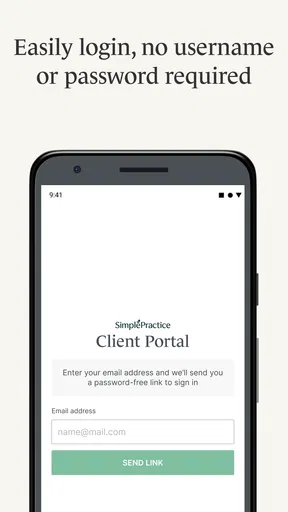
Before you begin, have the instructions from your provider nearby. Use the account or invitation route they gave you rather than assuming that any email address or phone number will automatically locate your record. If you run into trouble, check that you are using the same contact details your provider has on file, then ask the practice to confirm how it expects you to sign in. This is a practical first-time tip: account access is tied to the care relationship, so guessing at setup can waste time without solving the problem.
Once you can get in, take a moment to look around before you need the app in a hurry. Find where appointments and messages appear, and notice how your provider wants you to handle documents. I like this small orientation step because a portal is most useful when you already know where to look on a busy day. If something you expected is not visible, ask the provider whether it is enabled for your account instead of assuming the app is broken.
Your first useful task
A good first success is completing one real care-related task, such as checking an upcoming appointment or sending a brief message through the portal. For example, if you are unsure whether a session is still at its usual time, checking the appointment area gives you a clearer starting point than searching old texts. If you need to share a document, follow the practice’s instructions and confirm that it has gone through before relying on it for an upcoming appointment.
Worth Reading Before You Choose

EA SPORTS FC Mobile 26 Is a Bigger Football Game, but It Takes Time

Flipboard Shows What News Apps Must Do Beyond the Feed

Switching to Android Auto Means Rethinking Your Driving Routine

Google Calendar Makes a Crowded Week Easier to Manage

Ludo King Makes the Most of the Minutes Between Plans

Baby Panda World Brings Quick Play to Modern Phones, but Its Game Library Feels Busy
For everyday use, I would treat the portal as the organized channel for logistics, not as a promise of immediate replies. A short message about scheduling or a document question fits naturally there; something urgent or time-sensitive should be handled through the contact method your provider has told you to use. That simple distinction helps avoid the common mistake of assuming an in-app message is monitored like a live chat.
The Gateway to Simplicity
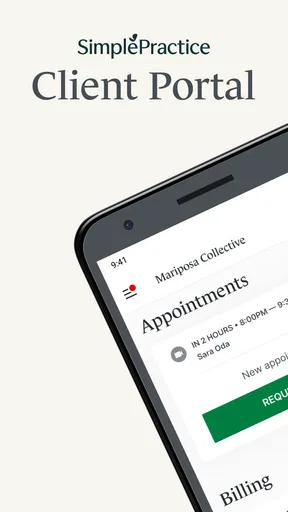
First things first, when you dive into the SimplePractice Client Portal, you’re greeted with a super clean and intuitive interface. It’s like the app just gets you. No more sifting through endless menus or tapping your way into a black hole of confusion. Everything is laid out just right, making it easy for anyone to navigate, even if you’re not the most tech-savvy person out there.
Features That Make Life Easier
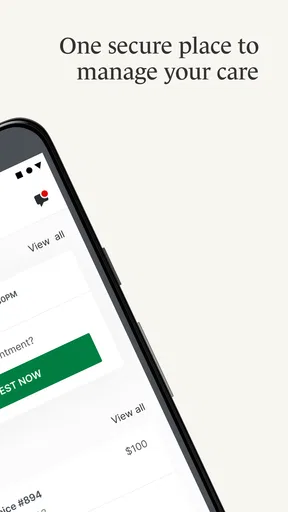
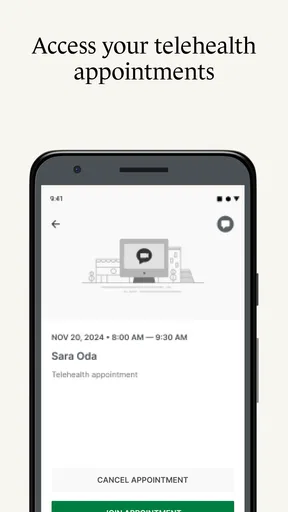
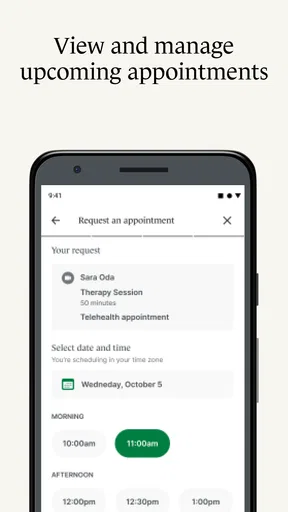
One of the standout features is the appointment scheduling. You can book, reschedule, or cancel appointments with just a few taps. It’s like having a personal assistant in your pocket. And if you’re anything like me, who forgets everything unless it’s written down, the automated reminders are a lifesaver. These reminders ensure you never miss an appointment, keeping both you and your therapist on the same page.
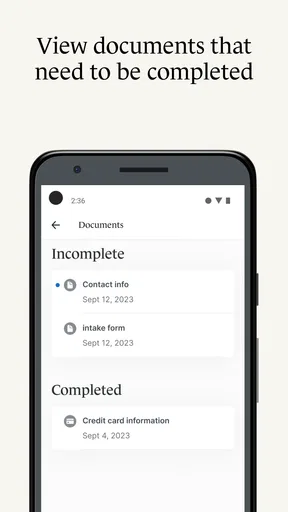
Another cool thing? The document sharing feature. You can securely upload and share documents with your therapist. So, no more faxing or emailing sensitive information. Everything stays within the app, safe and sound. It's like having a virtual filing cabinet that only you and your therapist can access.
Using the portal in a real week of care
For me, the strongest case for a dedicated portal becomes clearer over a few ordinary days rather than during one dramatic moment. Imagine getting a reminder while you are at work, then realizing you need to move an appointment because a meeting has been added to your calendar. A portal can keep that scheduling task tied to your care relationship, instead of leaving you to search through an old email thread or wonder which number to text. I would still check any change against the provider’s confirmation, especially if the appointment is soon; a request to reschedule is not the same thing as knowing a new time is settled.
A second useful routine is preparing for a session without turning the appointment into a scavenger hunt. If your provider has asked for a document, sending it through the channel they use can keep it associated with your care rather than buried among unrelated attachments. I would do that ahead of time and then use the next conversation to confirm the provider received what they need. That is a small but important habit: a portal can organize an exchange, but it cannot tell you whether a document answers the clinical question or replace a conversation about it.
There is also a practical boundary worth keeping. I would use a client portal for ordinary coordination and for materials the provider has asked me to share, not as a personal archive for every private note or file. Before uploading anything, I’d check that it is relevant and intended for the practice. That keeps the exchange focused and makes it easier to find the items that matter when the next appointment comes around.
When it fits—and when another route is better
This app is a sensible fit if you already see a provider who works with SimplePractice, prefer keeping scheduling and care-related exchanges in one place, and are comfortable using your phone for those tasks. It may be especially handy if you tend to lose track of appointment details across calendar entries, email, and text messages. A single portal can reduce that mental sorting, provided both you and the practice actually use it consistently.
It is less compelling if your provider does not use SimplePractice, if you only need a one-off appointment and prefer the practice’s existing phone or email routine, or if you expect an app to supply care without a provider relationship. It is also not the right channel for emergencies or a situation that needs an immediate response. In those cases, follow the provider’s stated contact instructions or seek appropriate urgent help rather than waiting for a portal message to be seen.
Compared with ordinary email and texting, a portal’s advantage is separation: care-related coordination is less likely to disappear between shopping receipts, work messages, and family chats. Email can be easier when a practice does not use this platform, and a phone call is often better when a point needs quick clarification or back-and-forth discussion. I would not treat one channel as universally safer or faster in every circumstance; the best choice is the method your provider has set up and can reliably monitor.
Security, privacy, and sensible habits
Now, let’s talk privacy because, let’s face it, nobody wants their personal info floating around in cyberspace. The app uses robust encryption to protect your data, so you can rest easy knowing your information is secure. It’s designed with privacy in mind, which is a huge relief, especially when dealing with sensitive mental health matters.
Even with a portal intended for sensitive care exchanges, I would still use ordinary good judgment: keep access to your phone private, avoid sending material that is unrelated to your care, and make sure you are communicating with the intended provider account. A secure channel does not remove the need to think about what you share or who can see it on a device you share with someone else. If a privacy question affects how you can use the app, raise it directly with the practice rather than relying on assumptions.
Another useful tip is to separate reminders from confirmation. A reminder can help you remember an appointment, but if you have requested a change, look for a clear response from the provider before changing your plans. Likewise, after sending a message, allow for the practice’s normal response time and use its usual phone contact if the matter cannot wait. Those habits make the portal more dependable without expecting it to behave like instant messaging.
Communication at Your Fingertips
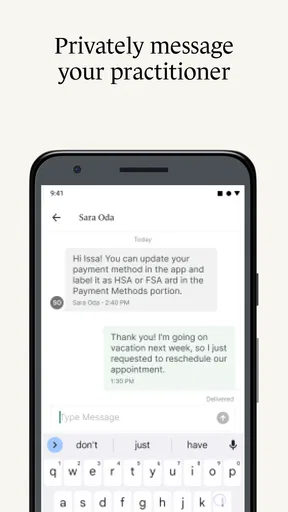
The messaging feature is another highlight. You can communicate directly with your therapist without having to leave the app. It’s quick, efficient, and keeps all your conversations in one place. This way, you’re not jumping between emails and texts trying to find that one piece of advice or insight that was shared.
What first-time users often wonder
If you are wondering whether you need an account before opening the app, the practical answer is to follow your provider’s setup instructions first. The portal is connected to a practice, so having the right invitation or sign-in details matters more than simply downloading it. If you cannot access your account, contacting the practice is a better next step than repeatedly trying different personal details.
You may also wonder whether you can use it with any therapist. The key is whether that therapist or practice uses SimplePractice for client access; the app is not a universal directory or a bridge to providers on other systems. And if an appointment option or document area is not available to you, ask the practice what it has enabled for your account. A portal’s purpose is shared coordination, so the provider’s setup shapes what you can do.
For people comparing it with a practice’s website, email, or phone, I’d choose based on the task. Use the portal for the routine exchanges your provider has placed there, a call when a question needs quick clarification, and the provider’s preferred alternative if you cannot get into your account. That is more realistic than expecting one app to handle every kind of contact equally well.
Security and Privacy
Now, let’s talk privacy because, let’s face it, nobody wants their personal info floating around in cyberspace. The app uses robust encryption to protect your data, so you can rest easy knowing your information is secure. It’s designed with privacy in mind, which is a huge relief, especially when dealing with sensitive mental health matters.
Making it part of a manageable routine
Once setup is complete, I would make the portal part of a simple routine rather than checking it constantly. Look at it when you receive a reminder, before an appointment, or when you have a specific scheduling or document task. This keeps it useful without turning care administration into another stream of notifications to monitor all day. If your provider has a different rhythm for messages, follow that expectation.
It is also worth deciding what belongs in the portal before a busy week begins. Appointment coordination and material requested by your provider are clear candidates. A long personal reflection may be better saved for your session unless the provider has asked you to send it beforehand. That distinction protects the value of the face-to-face or remote appointment: the app can help you arrive prepared, while the actual therapeutic work still happens in the care relationship.
Final Thoughts
So, what’s the verdict? The SimplePractice Client Portal is more than just an app; it’s a tool that streamlines your therapy experience. Whether you’re booking appointments, sharing documents, or simply staying in touch with your therapist, everything is just a tap away. It’s like having a well-organized virtual office dedicated to your mental health needs.
If you’re a client looking to simplify your therapy sessions or a therapist wanting to enhance client interaction, this app is definitely worth checking out. It’s not just about making things simpler; it’s about making things better.
My overall advice is to judge it by whether it removes a recurring hassle in your own care. If the practice uses the portal actively, it can give appointment details, messages, and shared paperwork a more orderly home than scattered conversations. If your provider rarely uses it, the benefit will be limited, and the established contact route may be easier. I would install it when a provider invites me, complete one useful task, and then keep using it only for the parts of care it genuinely makes clearer.
Pros
- User-friendly interface for clients
- Secure communication and document sharing
- Easy appointment scheduling
- Accessible on both mobile and desktop
- Customizable client experience
Cons
- Limited offline functionality
- Some features require a learning curve
- Occasional sync issues
- Limited customization for notifications
- Subscription can be pricey for small practices
FAQs for SimplePractice Client Portal
What is SimplePractice Client Portal used for?
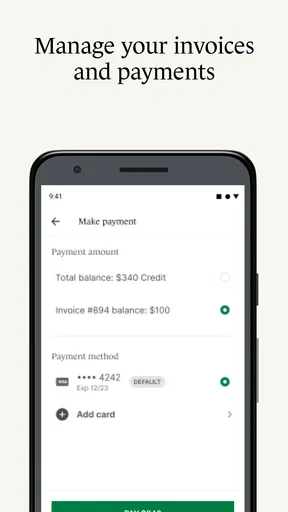
SimplePractice Client Portal is designed to facilitate seamless communication between clients and healthcare providers. It allows clients to schedule appointments, access documents, fill out forms, and communicate directly with their provider in a secure environment. This app streamlines administrative tasks, making it easier for both parties to focus on care.
How secure is the SimplePractice Client Portal?
Security is a top priority for SimplePractice. The Client Portal uses encryption and complies with HIPAA regulations to ensure that all client data is protected. Users can trust that their personal and medical information is secure from unauthorized access, providing peace of mind while using the app.
Can I access the SimplePractice Client Portal on mobile devices?
Yes, the SimplePractice Client Portal is accessible on both Android and iOS devices. The mobile-friendly design ensures that users can easily navigate the platform to manage appointments, view documents, and communicate with healthcare providers, offering convenience whether at home or on the go.
Is it possible to customize the forms in the SimplePractice Client Portal?
The Client Portal allows practitioners to customize forms according to their practice's needs. This feature enables providers to tailor the intake process and documentation to better suit their clients. Customizable forms improve efficiency and ensure that all necessary information is collected in a structured manner.
How do clients receive notifications from the SimplePractice Client Portal?
Clients receive notifications through email or within the app itself, depending on their preferences. These notifications can include appointment reminders, new messages from providers, or updates on shared documents, ensuring clients stay informed and engaged in their care.


